These instructions explain how to connect WorkEasy software with BambooHR. This integration simplifies managing employee data, improves workflow productivity, and ensures consistent updates across both systems.
Make sure you have a BambooHR account and a BambooHR API key. Refer to BambooHR’s document Getting Started with API.
Navigate to Global Settings → Integrations → BambooHR and click Start.
.png?sv=2026-02-06&spr=https&st=2026-11-01T15%3A45%3A34Z&se=2026-11-01T15%3A56%3A34Z&sr=c&sp=r&sig=uInPivV%2Bcm9m8zWVqILH7wp3I%2Bnm1XjzM9v6CpPVV98%3D)
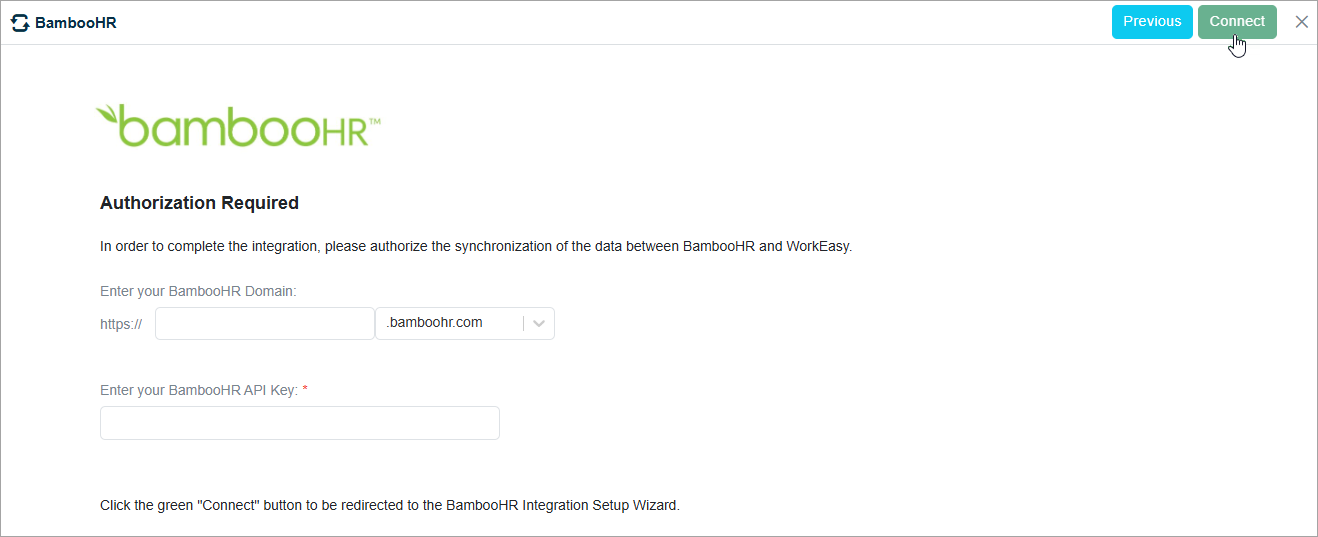
Enter your BambooHR domain and API Key.
Click Connect.
If you have questions, please call us at (888) 783-1493, email support@workeasysoftware.com, or submit a ticket.