This guide provides instructions on how to add a system user, such as payroll specialists and administrators, who can access settings and information without participating in employee activities like clocking in and out. By following these steps, you can efficiently manage system users and ensure they have the appropriate access levels.
System Users represent email-based access to the software and are not tied to employee records. Adding a System User grants access to administrative settings and system information only. This process does not create an employee, enable employee portal access, or allow clocking in or out.
An email added here may later be linked to an employee to create an Employee Portal User. Understanding this distinction helps prevent duplicate users and access conflicts.
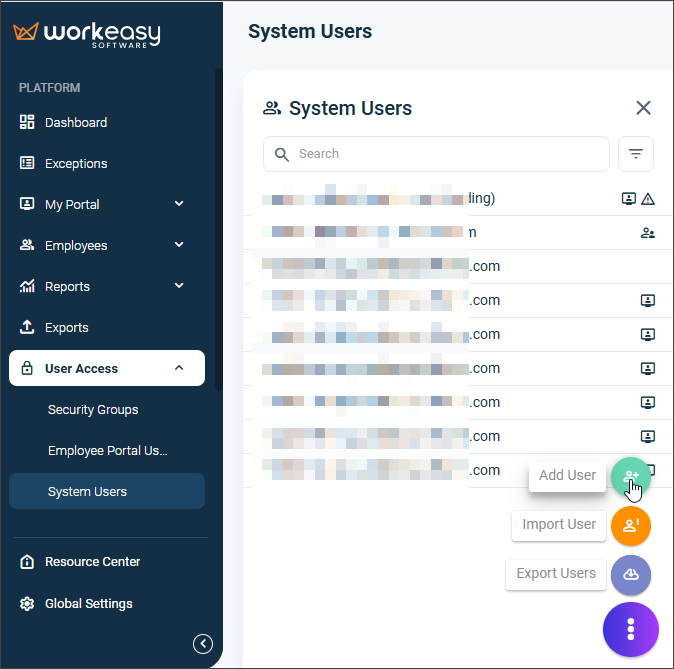
On the left nav, click User Access > System Users.
Click the ellipsis > Add User.
Fill out/select the required fields and click Save.
IMPORTANT❗ Selecting the Super Admin checkbox provides the user full access to the software.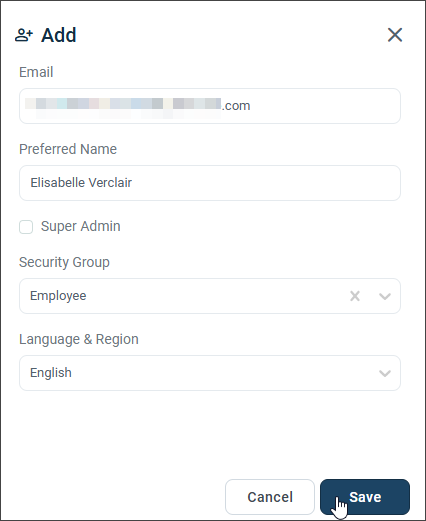
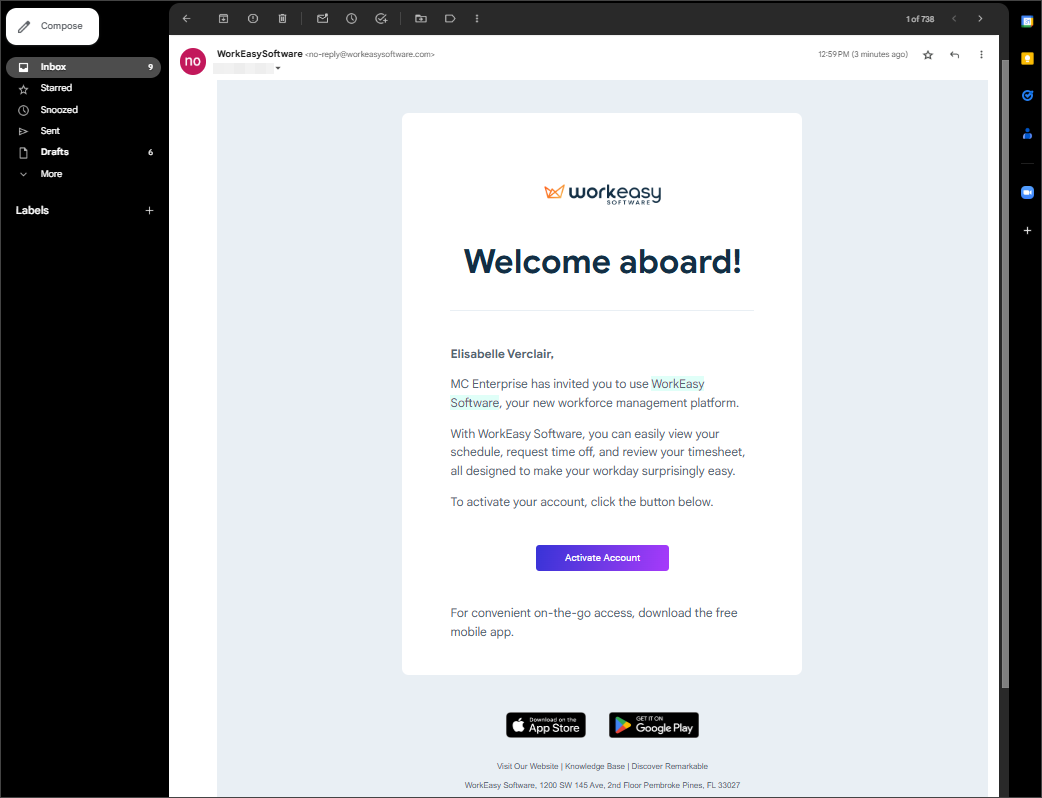
The employee automatically receives an email with login instructions.
You're all set! 😊👍
We're here to help you! If you have questions, please call us at (888) 783-1493, email support@workeasysoftware.com, or submit a ticket.